FXRebate Education · Practical trading guide
Quick answer
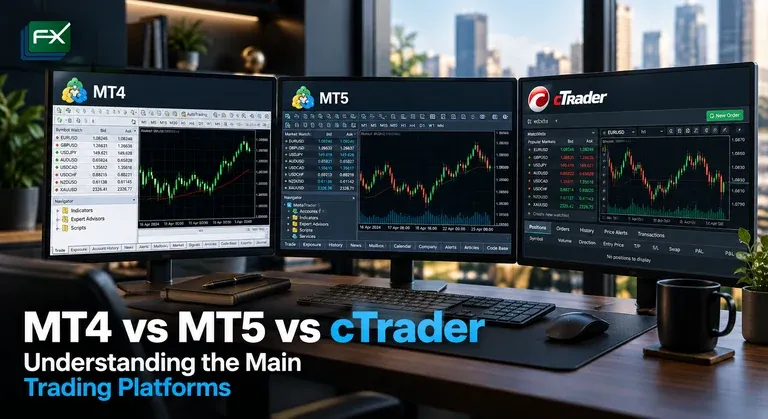
MetaTrader 4, MetaTrader 5 and cTrader are among the best-known retail trading platforms, but they are not identical. MT4 remains strongly associated with forex and Expert Advisors, MT5 expands the MetaTrader ecosystem with more order types, timeframes and multi-asset capabilities, while cTrader provides its own interface, order model, depth-of-market tools and automation environment.
The “best” platform depends on the broker, instruments, execution model and the tools you actually use.
Key Takeaways
- MT4 is forex-focused and has a very large legacy ecosystem.
- MT5 offers more timeframes, indicators, pending-order types and multi-asset functionality.
- cTrader offers market, limit, stop and stop-limit orders plus strong depth-of-market and order-detail tools.
- Broker implementation matters as much as the platform name.
- Test the exact broker server/account before choosing.
1. MetaTrader 4 in Brief
MetaTrader 4 is built around forex trading, charting, technical analysis and automated trading through Expert Advisors.
MetaQuotes lists features including:
- market and pending orders;
- technical indicators;
- charting;
- algorithmic trading;
- Expert Advisors;
- mobile and web access;
- trading signals.
MT4 remains widely used because of its long history and large library of third-party tools.
2. MetaTrader 5 in Brief
MT5 is the newer MetaTrader platform and is not simply a cosmetic update to MT4.
MetaQuotes’ official comparison lists MT5 with:
- 6 pending-order types vs 4 in MT4;
- 21 timeframes vs 9;
- 38 built-in technical indicators vs 30;
- 44 graphical objects vs 31;
- Depth of Market;
- Time & Sales for exchange data;
- integrated economic calendar;
- multi-threaded, multi-currency strategy testing;
- support for both hedging and netting models;
- broader multi-asset support.
3. cTrader in Brief
cTrader is a separate platform ecosystem developed by Spotware.
Official cTrader documentation lists four main order types:
- market;
- limit;
- stop;
- stop-limit.
cTrader also provides detailed order information, chart trading, Active Symbol Panels and Depth of Market views. Its symbol information can show values such as lot size, commission, swap long/short and trading-volume limits.
4. MT4 vs MT5 vs cTrader — Comparison
| Feature | MT4 | MT5 | cTrader |
|---|---|---|---|
| Core positioning | Forex-focused | Multi-asset platform | Multi-asset CFD platform |
| Pending orders | 4 | 6 | Limit, stop, stop-limit |
| Timeframes | 9 | 21 | Multiple configurable chart timeframes |
| Depth of Market | Limited / broker-dependent | Built in | Built in |
| Automation | MQL4 / Expert Advisors | MQL5 / Expert Advisors | cTrader Algo / cBots |
| Strategy testing | Single-threaded legacy tester | Multi-threaded / multi-currency | cTrader Algo backtesting |
| Hedging | Yes | Yes | Broker/account dependent position model |
| Netting | No native exchange-style netting model | Supported | Account/broker structure dependent |
Features can vary depending on broker setup and platform version.
5. Charting and Technical Analysis
All three platforms support technical analysis, but the workflow differs.
MT4
Familiar interface, broad indicator ecosystem and strong legacy support.
MT5
More native timeframes, indicators and analytical objects than MT4.
cTrader
Modern chart layout, integrated symbol information and strong visual trade-management tools.
If you rely on custom indicators, check whether the exact tool exists for your chosen platform before migrating.
6. Automated Trading
MT4 — MQL4
Automated strategies are commonly called Expert Advisors.
MT5 — MQL5
MQL5 supports a newer ecosystem and MT5’s more advanced strategy tester.
cTrader — cTrader Algo
cTrader’s automation environment supports cBots and custom indicators through its API ecosystem.
Code written for one environment is not automatically compatible with another.
7. Order Types
For manual traders, order behaviour matters.
MT5 expands the pending-order options available in MT4. cTrader includes market, limit, stop and stop-limit orders.
Regardless of platform, the broker still controls elements such as:
- available symbols;
- liquidity and execution;
- minimum trade size;
- commission;
- margin;
- swap;
- maximum order volume.
8. Depth of Market
Depth of Market can help traders view available bid/ask liquidity levels where supported.
MT5 includes Depth of Market functionality, while cTrader provides standard Depth of Market in its Active Symbol Panel.
The usefulness of DOM depends heavily on the broker’s liquidity model and the data actually supplied.
9. Mobile and Web Trading
All three ecosystems provide ways to trade away from a desktop environment.
Before choosing, test:
- chart responsiveness;
- order modification;
- push notifications;
- biometric login;
- watchlists;
- trade-history detail;
- device synchronisation.
10. Platform Name vs Broker Execution
Two brokers can both offer MT5 but provide very different trading experiences.
The platform does not determine:
- spread;
- commission;
- liquidity providers;
- execution speed;
- stop-out level;
- leverage;
- swap rates.
Compare the platform and the broker conditions.
11. Which Platform May Suit Which Trader?
| Trader need | Platform worth testing |
|---|---|
| Existing MT4 EAs/indicators | MT4 |
| More native timeframes/order types | MT5 |
| Multi-asset MetaTrader environment | MT5 |
| cTrader interface / DOM / order-detail workflow | cTrader |
| New automation project | Compare MQL5 and cTrader Algo |
This is not a ranking. Test the tools that matter to your own workflow.
12. Before You Switch Platforms
Check:
- whether the broker offers the same account type on the new platform;
- instrument symbols and contract sizes;
- commission and spread structure;
- swap settings;
- EA/cBot compatibility;
- historical data;
- VPS compatibility;
- mobile app workflow.
Related FXRebate reading



Frequently Asked Questions
Is MT5 automatically better than MT4?
It has more native features, but that does not mean it is automatically the right platform for every trader. Existing MT4 tools and workflows can still matter.
Can I run MT4 Expert Advisors on MT5?
Not directly. MT4 uses MQL4 and MT5 uses MQL5.
Does cTrader support stop-limit orders?
Yes. Official cTrader documentation lists market, limit, stop and stop-limit order types.
Does the platform determine the spread?
No. The broker/account pricing determines the spread and commission.
Your next step
Choose the broker and platform together.
Platform availability and account conditions vary between brokers. Explore FXRebate’s directory to compare participating partners and check which options may fit your setup.