
Trailing Stop (Dynamic Stop Loss Order): A Complete Guide
⏱️ Estimated Reading Time: 7 minutes
📝 Summary: A Trailing Stop is a powerful tool that automatically adjusts your stop loss as the market moves in your favor. This guide covers how to use “Chandelier” type stops in MT4, optimal settings, and strategies to filter false signals.
A trailing stop is one of the most effective tools for trend traders. While simple in concept, it allows you to lock in profits automatically while keeping the trade open for potential further gains. In this article, we explore the “Chandelier” trailing stop for MetaTrader 4 and how to use it effectively.
Table of Contents
1. How to Use Trailing Stop Orders
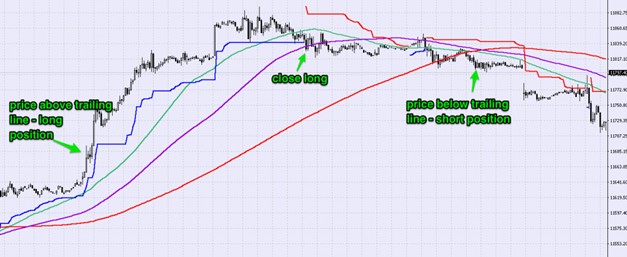
The principle is straightforward: the stop loss line “trails” the price at a fixed distance.
- If price remains above the line, maintain the Buy position.
- If price falls below the line, close the position (or enter Sell).
In the example below, the trailing stop (blue line) acts as a dynamic floor. When the price finally closes below this line, it signals the optimal exit point.
2. Optimal Settings for Trailing Stops
There is no “one size fits all” setting. However, extensive backtesting suggests optimal parameters for different timeframes:
- Short-term (M15, M30): Tighter settings to capture quick moves.
- Long-term (H4, Daily): Looser settings to allow for market volatility (“breathing room”).
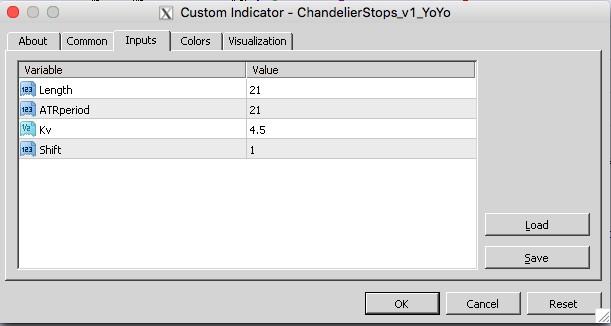
If the stop is too tight, you get stopped out by noise (false signals). If it’s too loose, you give back too much profit before exiting.
3. Strategies for Filtering Signals
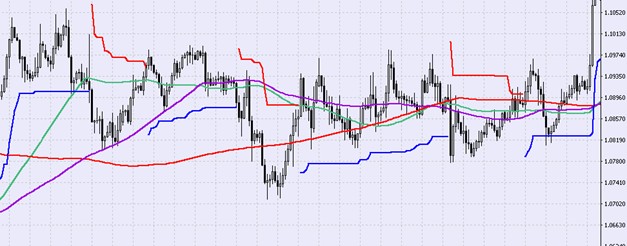
Trailing stops perform best when combined with other indicators to confirm the trend.
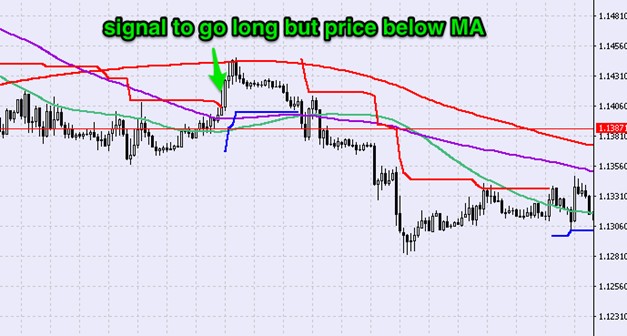
Moving Averages as a Filter: Never take a Buy signal from a trailing stop if the price is below a long-term Moving Average (e.g., 200 EMA). The MA acts as a trend filter.
4. Real Trade Examples
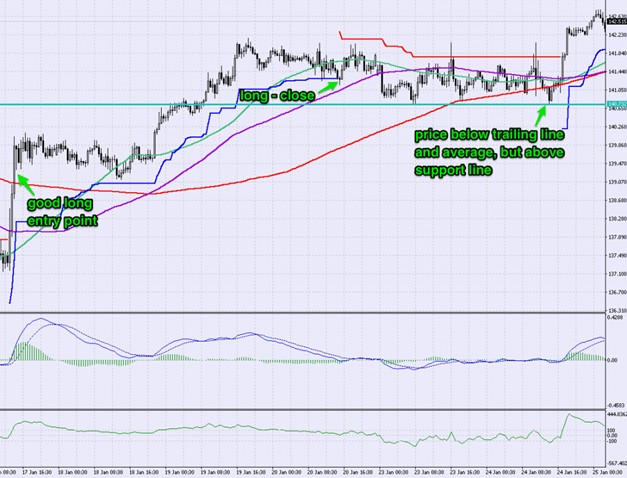
GBP/JPY – 30-Minute Chart
In this volatile pair, the trailing stop helps navigate sharp moves. Initially, a buy signal was generated. The exit occurred when the price closed below the blue line.
Later, a sell signal appeared, but the price was still above the Moving Average, suggesting caution. Support levels provided the final confirmation needed.
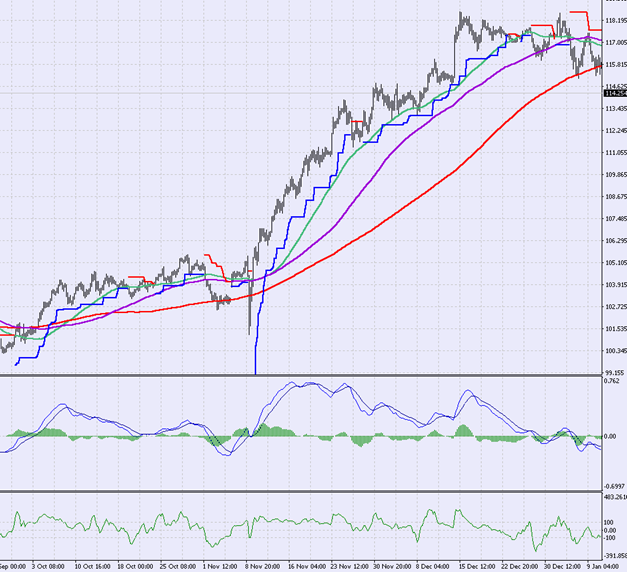
USD/JPY – 4-Hour Chart
For swing traders, the H4 chart offers cleaner trends. Here, the trailing stop allowed the trader to ride a significant portion of the trend without staring at the screen, exiting only when the trend structure was broken.
Final Thoughts
The Trailing Stop is an essential tool for protecting capital and maximizing gains. By automating the exit process, it removes emotional decision-making. However, it should not be used in isolation; combining it with Support/Resistance and Moving Averages significantly increases its reliability.
Test Trailing Stops Risk-Free.
Open a demo account and practice using the Chandelier Stop on live charts.
Frequently Asked Questions
Is a trailing stop available in MT4 by default?
MT4 has a basic trailing stop (by points), but advanced indicators like the “Chandelier Stop” (visual line on chart) usually require a custom indicator installation.
Can I use trailing stops on mobile?
Standard trailing stops in MT4/MT5 require the desktop terminal to be running to function. If you close your laptop, the trail stops working unless you use a VPS.
What is the best setting for Gold (XAUUSD)?
Gold is highly volatile. Use wider settings (e.g., 3-4 ATR) compared to major Forex pairs to avoid being stopped out prematurely by spikes.
⚠️ Disclaimer: The content of this article is strictly for informational purposes and does not constitute investment advice. FXRebate is a cashback and affiliate service, not a broker or fund manager; responsibility for trades and funds lies exclusively with the third-party broker. Trading with leverage involves high risks of capital loss. Partner links used do not generate additional costs for you.